
Waystation AI: A Practical Guide to Image and Video API Gateways
FusionAI Content Team · Updated 2026-11-25 · 12 min read
What does “waystation AI” mean here?
In this guide, waystation AI means an intermediary service that connects an application to AI models. The more common technical terms are AI API gateway, model gateway and AI API relay. We use the phrase in that architectural sense, rather than as the name of a separate product.
FusionAI provides API access to image and video generation through a common platform. Its purpose is to help developers connect visual-generation capabilities to their own products: creating images, editing references and managing video-generation tasks. The useful question is not simply how many models a gateway lists, but whether it supports the complete workflow your application needs.
An AI API gateway is an integration layer, not the model itself
An image model interprets a prompt and produces visual output. A gateway sits between your application and the model service. It provides an integration boundary around access, request handling and results. Your product still owns the user experience, the business rules and the decision about whether an output is good enough to deliver.
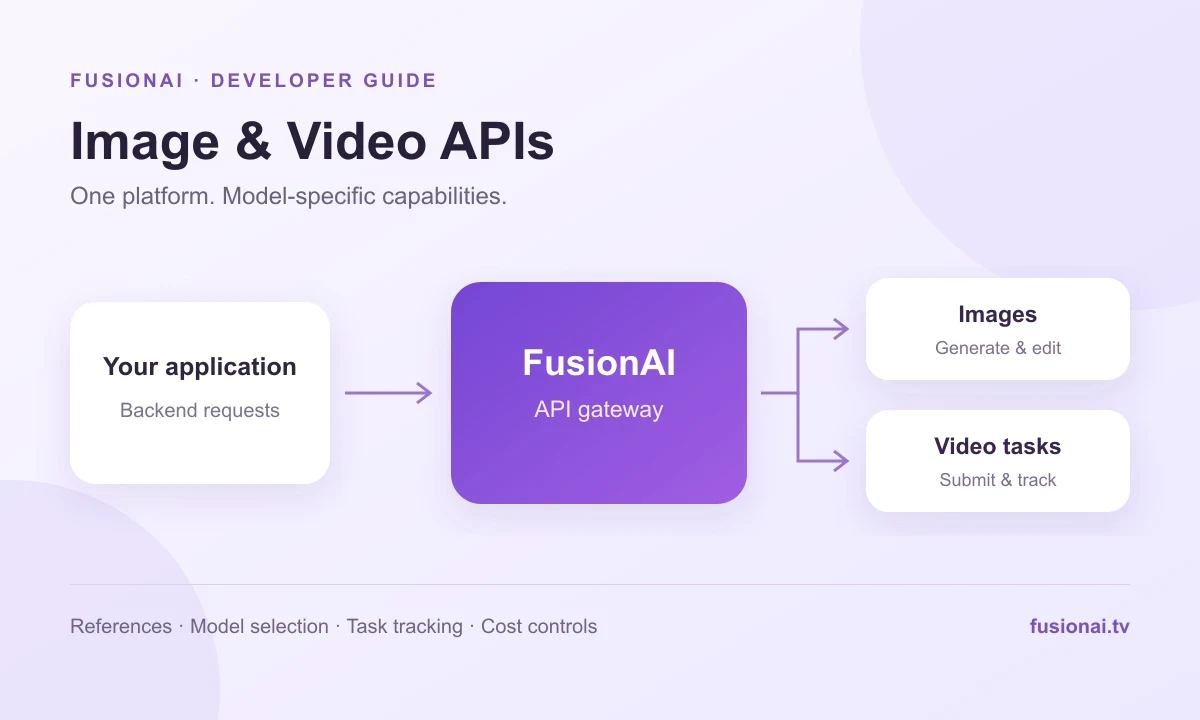
Request path: Your application → your backend → FusionAI API → the selected published model.
This boundary becomes useful when one product needs several kinds of visual work. An ecommerce application might need clean product images, localized campaign graphics and short product videos. Maintaining a separate integration for every provider means repeating work around credentials, validation, errors and task tracking.
A gateway can reduce that repetition. It cannot make different models identical. A reference-image instruction, an aspect-ratio parameter and a video-duration setting may have different meanings or constraints across model families. A sound integration preserves those differences instead of treating a model switch as a simple string replacement.
What FusionAI exposes for image and video applications
FusionAI’s public documentation describes a common base URL, https://www.fusionai.tv, with Bearer-key authentication. Its documented image families include GPT Image, Gemini and Midjourney, with model-specific protocols. Video generation uses asynchronous tasks. The authenticated GET /v1/models catalog supplies published models, capabilities and account pricing; workspace availability does not establish API availability. Source: FusionAI Open API documentation.
| Operation | Interface |
|---|---|
| Discover published models | GET /v1/models |
| Generate images | POST /v1/images/generations |
| Edit reference images | POST /v1/images/edits |
| Submit video generation | POST /v1/videos |
| Retrieve a video task | GET /v1/videos/{task_id} |
These routes were also checked against the platform’s gateway controller during preparation. This article is an integration guide, not a live benchmark of every published model.
For video, supported operations are model-dependent: text-to-video, image-to-video, first/last-frame generation and image-reference generation. The documented endpoint accepts text and HTTPS image references, not reference-video/audio uploads or callbacks. Video operations, duration, quality, ratios and audio support must be read from the selected catalog entry. Check the current video API specification.
This distinction matters for product planning. A visual tool offered in a workbench can be a workflow assembled from prompts, assets and several generation steps. It does not follow that the same tool exists as a single public API endpoint. Build against the documented interface rather than inferring API coverage from a website menu.
Four practical workflows for a visual-generation gateway
1. Generate images from a product brief
Imagine a small brand launching a reusable travel mug. Its content system needs a website banner, a social post and an editorial illustration. The input is not merely “make a beautiful mug image.” A useful brief specifies the subject, intended placement, composition, lighting and required empty space for later typography.
For example: “A stainless-steel travel mug on a stone picnic table at sunrise, soft side light, outdoor lifestyle photography, mug on the right with clear negative space on the left, no text or invented logos.” This is an illustrative prompt, not a result generated for this article.
Your application can turn a structured brief into a request, present candidates for review and store the approved asset with the brief that produced it. The gateway supplies generation access; your workflow supplies consistency and traceability.
2. Create reference-led product scenes
When the exact product matters, start from an approved product image rather than asking a model to invent one from text. Separate what may change from what must remain: replace the setting and lighting, while preserving the product’s shape, color, logo and packaging details.
A background-change workflow should inspect edges, contact shadows, perspective and reflections. A visually impressive scene can still be unusable if the handle changes shape or the label becomes unreadable. Keep the original reference available beside the result so reviewers can compare them directly.
Reference-led generation is therefore a workflow with an acceptance check, not a promise of perfect product fidelity. Route input images using the format supported by the selected model, and test the exact combination of references and output settings.
3. Turn an approved still into a product video
An approved image can become the starting point for a short motion concept. For the travel mug, the motion brief might request a gentle camera move while the mug remains stationary. Avoid combining a moving camera, rotating product, splashing liquid and changing background in the first test: each extra action adds another source of failure.
Review the clip for product geometry, label stability, contact with the surface and believable motion. A frame that passes review as a still does not guarantee that the same details remain correct throughout a generated video.
4. Build an image-to-video content pipeline
A production pipeline can connect several reviewed steps: prepare a brief, generate image candidates, approve one, generate a video from the approved reference, inspect the clip and deliver the final media. Store each output as a separate version. Do not silently overwrite an approved image when a later video attempt fails.
This approach is useful for ecommerce content tools, creative SaaS products and internal marketing systems. It is also more realistic than expecting one request to solve briefing, brand consistency, generation, editing and publication at once.
Choose a model by the job, not by a universal ranking
Access to leading image and video models is valuable only when the application can choose an appropriate model for each task. A model that produces attractive concept art may still be a poor match for precise packaging edits. A video model that handles broad motion well may struggle with a small logo.
| Your priority | What to test | What to reject |
|---|---|---|
| Product accuracy | Shape, label, texture and reference adherence | Invented parts or altered branding |
| Campaign layout | Composition, text legibility and crop flexibility | Unreadable copy or unusable spacing |
| Fast concept exploration | Accepted candidates per unit of time and cost | Cheap outputs that require repeated replacement |
| Short product motion | Temporal consistency and controlled movement | Warping, flicker or unstable details |
| Repeatable production | Performance across a representative brief set | A model chosen from one unusually good example |
Create a small evaluation set from the work your users actually submit. Include ordinary cases and difficult ones: reflective metal, small print, several objects, dark packaging and portrait crops. Use the same acceptance criteria across candidates. Measure human review time as well as generation cost.
Keep the evaluation result tied to the model identifier and settings. If you later change model, quality or reference handling, repeat the relevant checks. Your application’s promise should be based on that tested configuration, not on the provider’s most impressive demonstration.
Integrate the gateway as a production workflow
Discover capabilities before enabling controls
Build a capability check between your product form and the generation request. If a selected model does not support the requested operation, do not let the interface collect a brief it cannot submit. The same principle applies to duration, aspect ratio, reference count and audio.
Cache model information for usability, but refresh it when an operation is rejected or before enabling a new model in production. Treat catalog changes as a configuration event that may affect your form validation and cost calculation.
Keep video submission separate from video completion
FusionAI’s gateway implementation creates a tracked video task and exposes a separate status query. Your application should likewise distinguish request accepted, processing, completed, failed and an uncertain submission requiring investigation. An accepted request is not a finished video.
Persist the task identifier before navigating away from the generation screen. If a user refreshes, reconnect them to that task. Display a meaningful state instead of a progress percentage that your system cannot substantiate. Deliver the result only after checking the terminal status and the availability of the returned media.
Make retries deliberate
A timeout tells you that a response did not arrive in time. It does not necessarily tell you that generation never started. Retrying every timed-out submission as a new task can produce duplicate outputs and duplicate charges.
The reviewed FusionAI video implementation supports an Idempotency-Key: repeated submissions with the same key and normalized parameters reuse the existing task; conflicting parameters are rejected. Use that mechanism for a single logical video operation, and preserve the key with the task record. Do not assume the same behavior exists on every image or provider-specific route.
Separate a new creative variation from a retry. A changed prompt is a new request with a new cost decision. A retry seeks the outcome of the original request. Keeping those concepts distinct makes customer support and billing reconciliation much easier.
Evaluate the cost of an accepted asset
The cheapest generation is not necessarily the cheapest deliverable. A useful planning measure is:
Cost per accepted asset =
(generation spend + review effort + correction effort) ÷ accepted assets
This is a decision framework, not a FusionAI price quote. Suppose one workflow produces ten low-cost candidates but only one passes review, while another produces four candidates and two pass. The second workflow may be more economical even if each generation costs more.
For video, model the cost of the intended duration and quality, then leave room for the revisions your acceptance process normally requires. Audio, reference handling and output settings can affect which configuration is eligible and what you pay. Keep website subscription pricing separate from the API quote unless the platform explicitly states that they share the same balance and rules.
The reviewed FusionAI implementation applies account pricing and checks the API balance before video dispatch. It tracks charges and confirmed-failure refunds. A production application should reconcile those records with its own task history rather than treating a browser message as the entire billing record.
Reliability requires evidence
Evaluate a gateway on successful completion rate, time to usable output, recovery from failures and the clarity of its support process. Ask for contractual limits and commitments if uptime or throughput is business-critical. A common API entry point does not by itself establish unlimited concurrency, automatic model failover or a guaranteed service level.
Fallback also needs a creative policy. Replacing a model may change the style, reference behavior or output format. For an unbranded concept image that may be acceptable; for a campaign with approved packaging it may require fresh review. Reliability is not just receiving any image—it is receiving an output your application can responsibly use.
Keep credentials and reference assets under control
Call a billable model API from your backend, not from public browser code. Store the credential in a managed secret store or a controlled server environment, restrict access, and plan for rotation and revocation. Avoid placing secrets in logs or example repositories. These practices align with OWASP’s secrets-management guidance.
Reference assets need their own policy. An image URL that works in an employee’s browser may require a login the generation service cannot use. Check that references remain reachable for the task, while avoiding permanent public exposure of confidential material. Confirm retention and processing terms before sending private product designs or personal images to any service.
Keep request tracing useful but minimal: record your internal job identifier, model, settings, task identifier and failure category. Limit access to raw prompts and reference URLs when they contain customer information.
When direct provider integration may be the better choice
A gateway is useful when it reduces repeated integration work across several visual models. Direct integration can be preferable when your application relies on one provider’s newest feature, needs a specific enterprise agreement or requires control that an intermediary does not expose.
Evaluate the actual trade-off: development effort, available features, billing visibility, operational responsibility and contractual requirements. A gateway should make your chosen workflow easier to operate. It should not obscure a capability gap that matters to your users.
Frequently asked questions
Is “waystation AI” a standard API protocol?
No protocol is implied by the phrase in this article. It describes a gateway or relay architecture. Requests must still follow the protocol and schema documented for the selected operation.
Does one API key mean all models accept the same request body?
No. Authentication and request format are different concerns. Keep model-specific adapters behind a common application interface, and validate each request against the selected model’s capabilities.
Can I call every model or tool shown in the FusionAI workbench?
Do not assume so. Verify the published API catalog and the documented operation before building against it. A workbench workflow may include steps your application must implement separately.
Can a product-image workflow guarantee exact brand fidelity?
A reference image helps define the intended product, but the generated result still needs inspection. Check logos, labels, geometry and material details before approving it for commercial use.
What should I validate before shipping a video integration?
Check capability validation, task persistence, timeout recovery, duplicate-submission handling, terminal status, media accessibility and billing reconciliation. Test failures as carefully as successful outputs.
A useful gateway connects the whole task
FusionAI offers a practical route for developers who want image and video generation inside their own applications. Its value is the ability to work through a common platform while selecting the published models and operations suited to each job.
Start with one complete workflow—one brief, one supported configuration, one tracked task and one reviewed deliverable. Then expand based on measured quality and operational results. That is a stronger foundation for visual AI than choosing an integration solely because its model list is long.
Explore the FusionAI Open API documentation to confirm the current catalog, request formats and account requirements.