
AI Garment and Model Photo Composite: A Two-Reference Test
FusionAI Content Team · Reviewed
The actual results
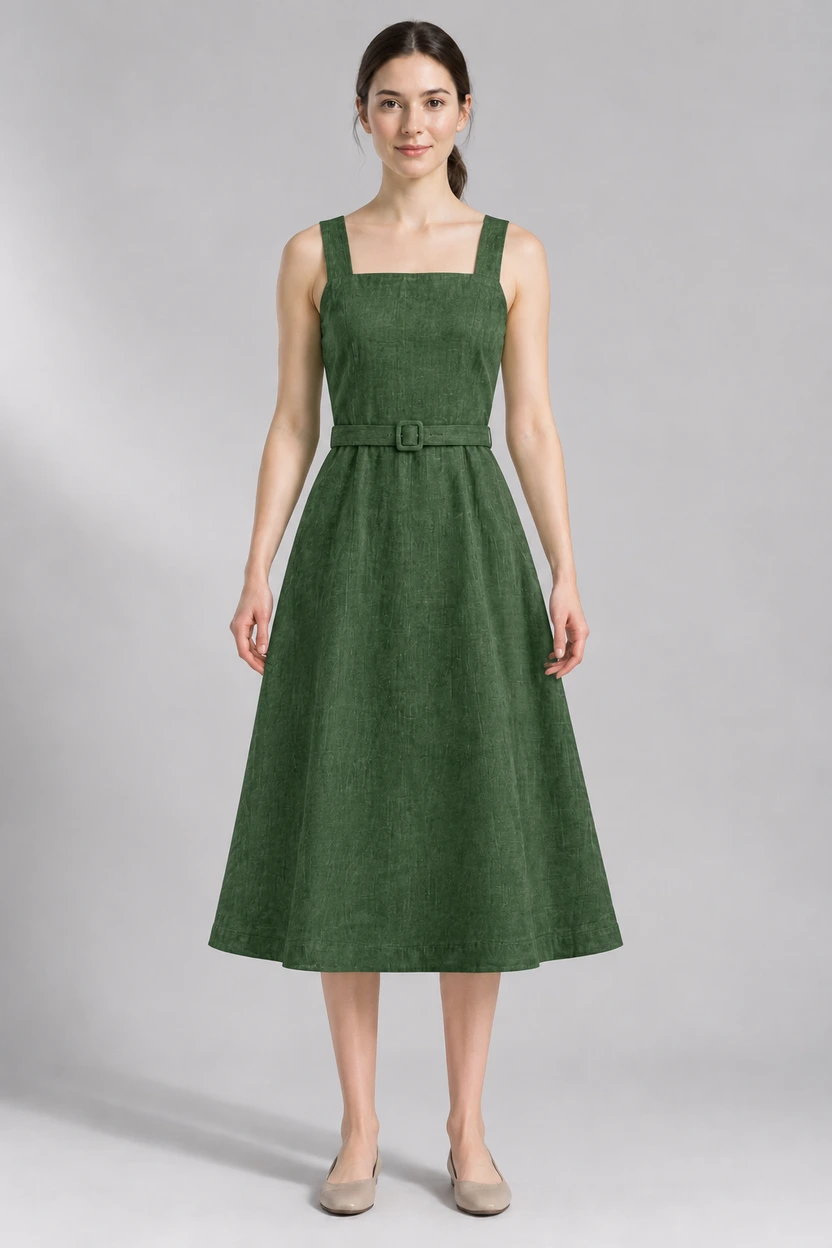
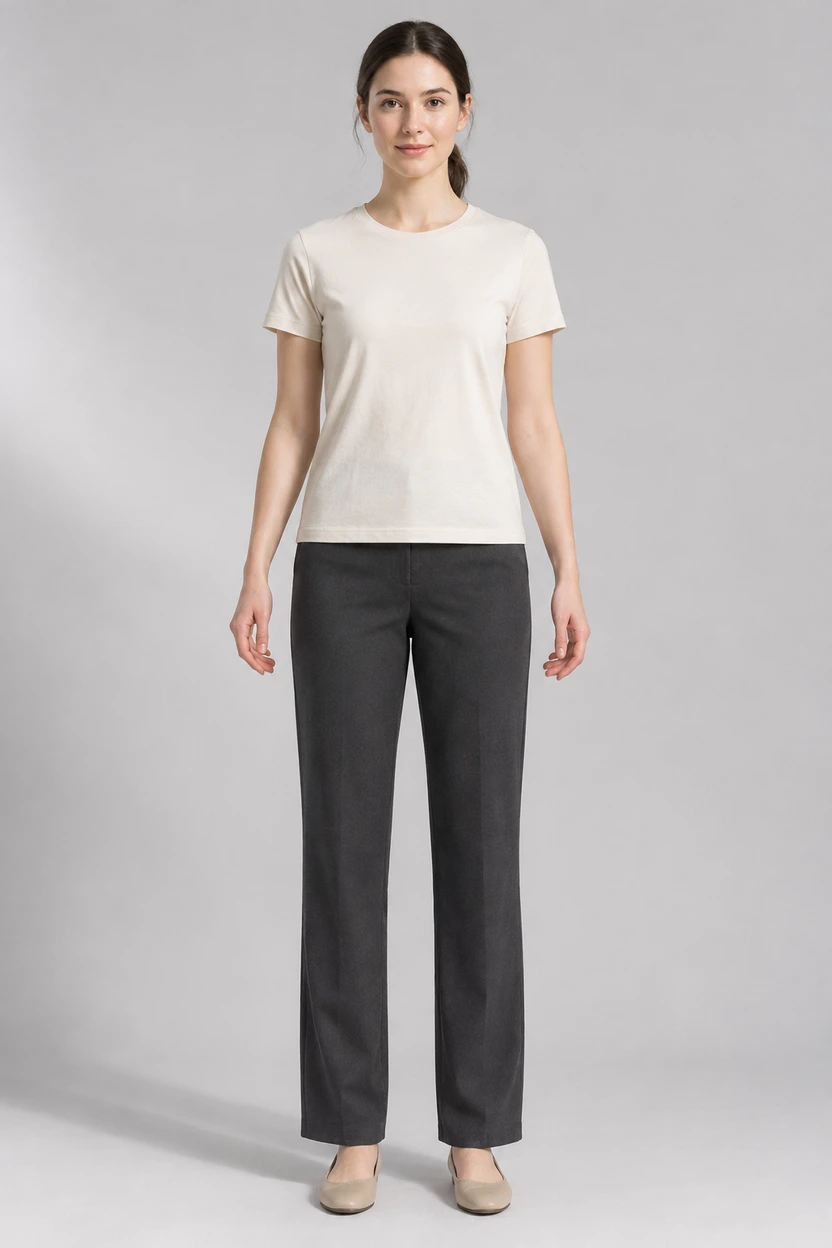
Inputs and their roles
All inputs below are original synthetic demonstration assets or clips generated for the editorial workflow. They are not customer materials or proof of an actual manufactured product.
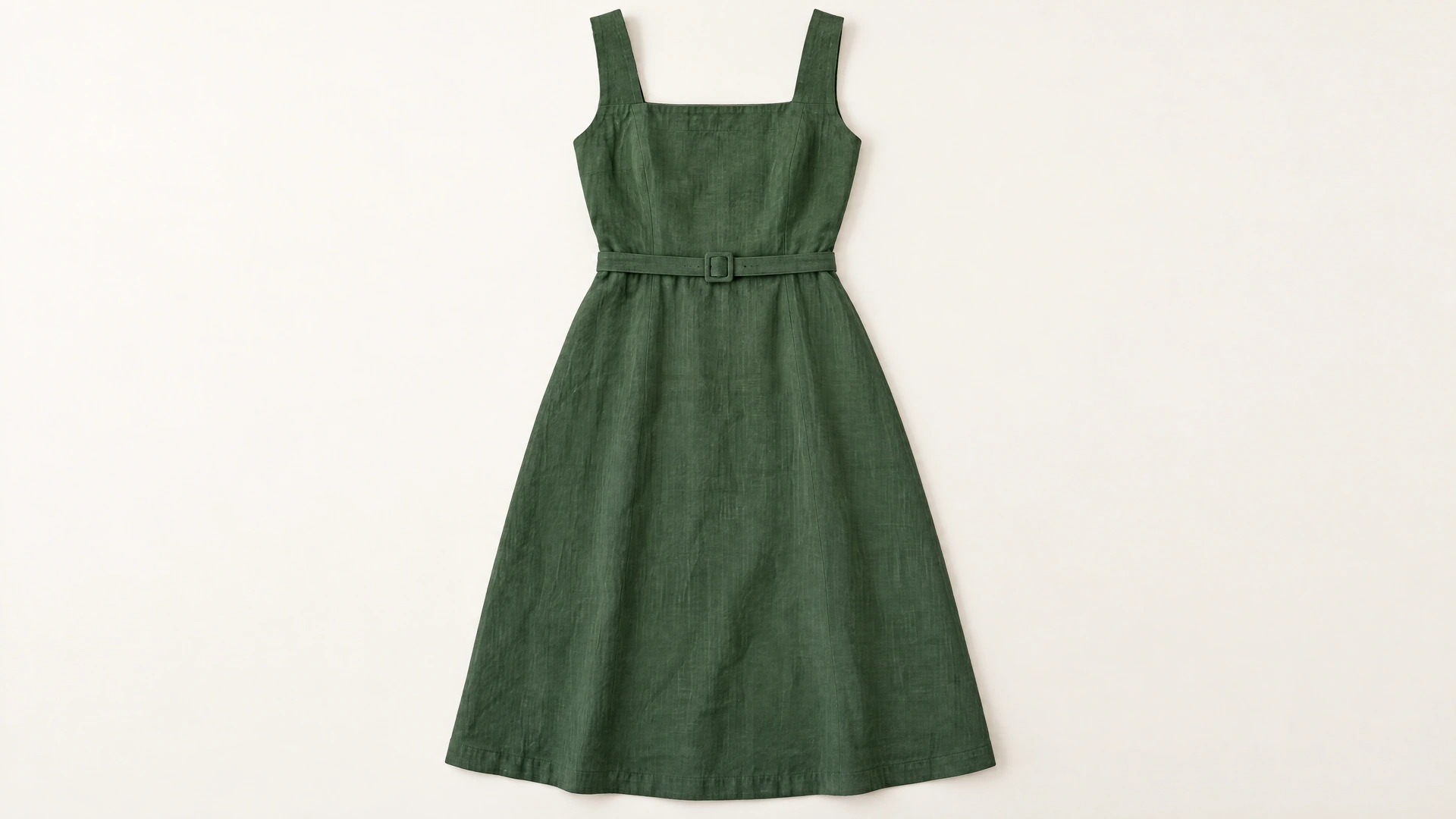
How the task was prepared
1. Upload the model first and the garment second
Choose GPT Image 2.6 Sunburst in Image Studio. Upload the front-facing model photograph first so it sets the camera and lighting, then upload the flat lay as reference 2. Confirm both thumbnails have loaded and the dress hem is visible in the flat lay.
2. Write one change and name what should remain
Specify that reference 1 supplies the model, pose, framing and shoes. Instruct the model to take only the dress design from reference 2, including its square neckline, wide straps, matching belt and flared hem.
3. Submit one portrait image and compare both originals
Use 2:3, 1K and High quality. Check the credit estimate, then submit one output. Open the result at full size. Compare hair, stance and framing with reference 1, then dress construction with reference 2.
Model, settings and cost
GPT Image 2.6 Sunburst · FusionAI Image Studio
Two reference images · 2:3 · 1K · High quality · One PNG output · 832 × 1248 px
The compositing request used 52 credits. Generating the synthetic model reference with Flare was a separate 50-credit request.
These are dated task records, not a fixed price list. Check the live estimate for a new request.
The submitted prompt
Reference 1 is the model image and reference 2 is the dress shown above.
Use reference 1 as the person and base photo. Keep her face, hair, stance, camera angle, framing, shoes and studio lighting. Use reference 2 only for the forest-green linen dress. Replace her outfit with this dress, preserving its square neckline, wide straps, narrow matching belt, rectangular buckle and flared hem. Let fabric and shadows follow the original pose. Show the complete garment. No added jewelry, branding or text.
What we checked
The returned image retains the frontal stance, shoes, framing and gray studio lighting. The dress shows a square neckline, wide straps, matching belt and rectangular buckle. The folds and skirt outline change around the body.
| Review item | Observation |
|---|---|
| Person and framing | The frontal stance, ponytail and shoes remained visually close to the source, with head and shoes still in frame. |
| Garment construction | Square neckline, broad straps, matching belt and buckle are readable in the result. |
| Fabric and fit | The output adds new folds around the body, so it cannot establish real fit or fabric drape. |
Failures, revisions and limits
The person is a fictional adult generated for the demonstration. The result can show styling and composition, but sizing, fabric behavior and details intended for a product listing should be checked against the actual item.