
A pendant reference shown in a wearing context
A pendant reference shown in a wearing context. An actual generation from an original synthetic reference, with parameters and review findings.
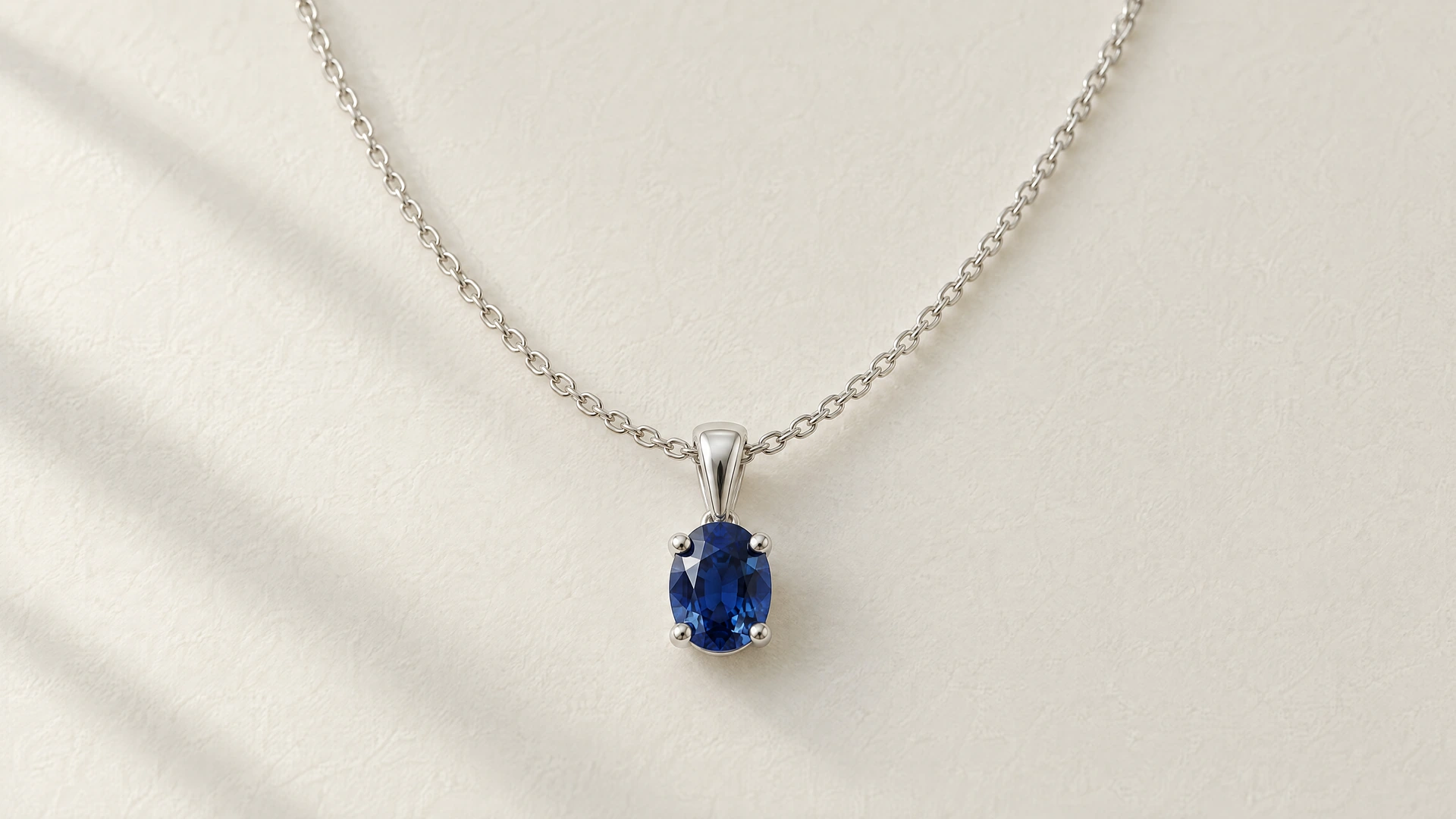
Input reference
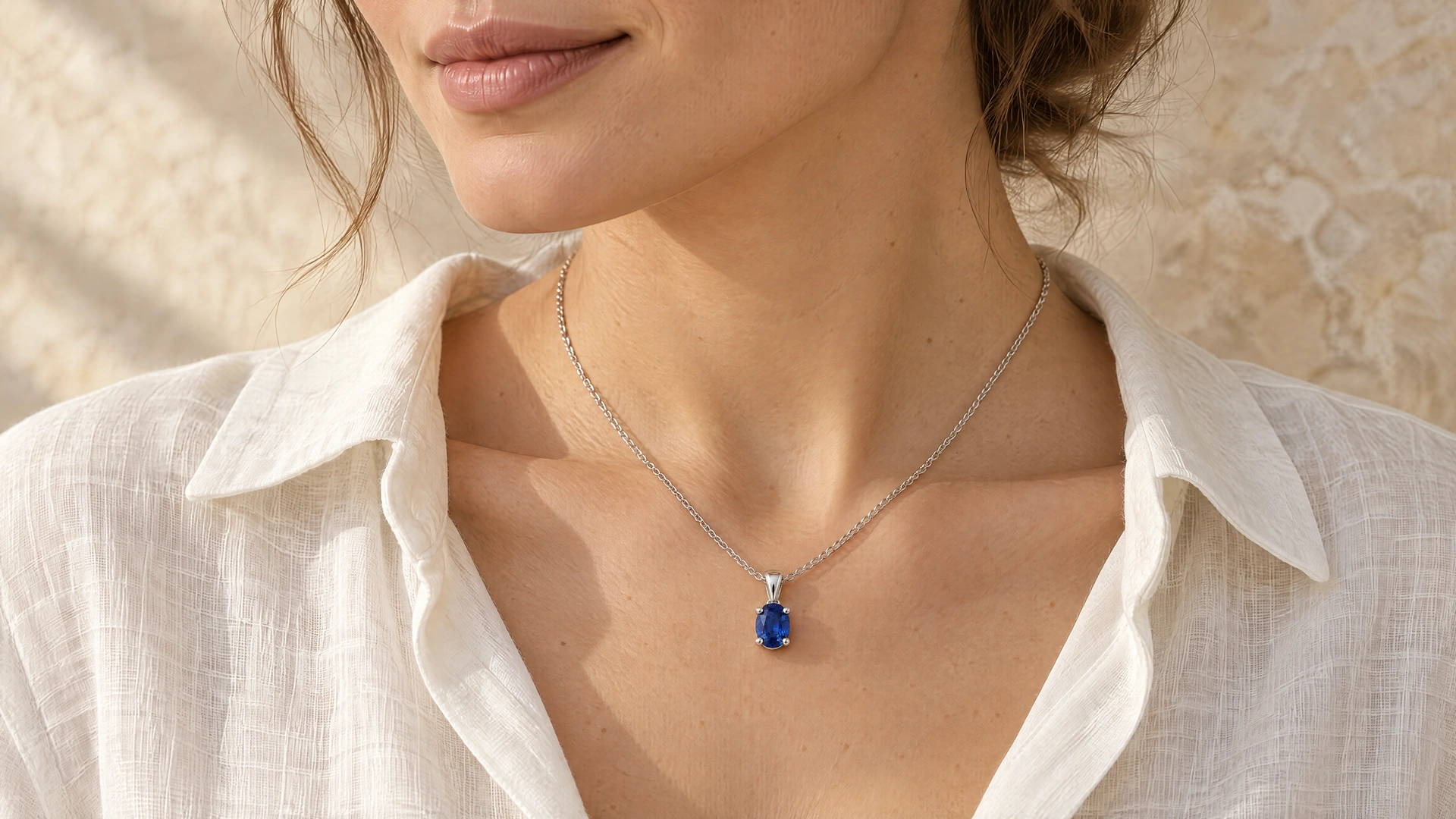
Model and settings
GPT Image 2.5 Sunburst · FusionAI Open API
Requested: 4K, 3840 × 2160, high quality, 1 image. Received: 3840 × 2160.
The actual prompt
Use the attached necklace as the sole exact jewelry reference. Create a refined close-up editorial photograph showing the same delicate silver cable chain and one oval sapphire-blue gemstone pendant on the neck and upper chest of an adult woman wearing a simple ivory open-neck linen shirt. Preserve the four-prong silver setting, oval stone shape and blue facets. The pendant is modest and physically plausible, not oversized. Frame from lower face to upper chest, neutral pose, soft natural side light, real skin texture, simple warm stone background. No other jewelry, rings, fingers, earrings, extra pendants, text, labels, logos, diagrams or collage. Landscape 16:9, understated premium ecommerce wearing-context photograph.What we observed
The result shows a blue oval stone on a delicate silver chain against a simple ivory shirt. The composition makes the wearing position readable, while the small setting still needs close inspection.
Limits of this example
Generated scale is illustrative and cannot replace measured dimensions. Check the setting, prongs, chain and metal color against original macro photographs. The source and adult model are synthetic.
What this jewelry photo was meant to show
The source shows the blue oval pendant against a neutral surface. The wearing image answers a different question: where the chain sits around the neckline and how the pendant looks against skin and ivory linen. Use the source or a real macro photograph to show the setting and chain. Use the wearing image as a secondary listing image for styling context.
How the original reference guided the generation
This run used the necklace image as the only reference in GPT Image 2.5 Sunburst via the FusionAI Open API. The prompt separated the product that should stay the same (oval blue stone, silver cable chain, four-prong setting) from the new styling (adult model, open neckline, natural side light). Framing from the lower face to upper chest made the neckline readable without making the face the focus.
Before using this in a listing
Compare the stone outline and color first, then zoom in on the prongs, the bail and the chain links. The wide wearing composition makes the pendant smaller on screen, so it cannot verify the exact number of prongs, chain length or pendant dimensions. Use measurements and close-up photography for those details. If the wearing image changes the design, shorten the instructions and use a closer source photo before trying again.
Try a similar jewelry workflow
- Prepare one sharp front view and take a separate macro reference for settings, clasps or engravings that need verification.
- Start with reference image editing in Image Studio. If you already have a wearing photo and need to place a pendant in a specific area, use the accessories try-on workflow with a marked region.
- Place the selected wearing image next to a verified product detail shot so buyers can see both styling and construction.