Prepare your inputs
Choose the poster tool and define audience, placement, ratio and the main product.

Build a poster from real campaign details, optional references and a chosen style. Verify prices, conditions, dates and generated text.

Explore the actual FusionAI interface before opening your workspace.
A campaign brief, product references and confirmed copy, price and date information.
Try this workflow Interface preview · no generation is started here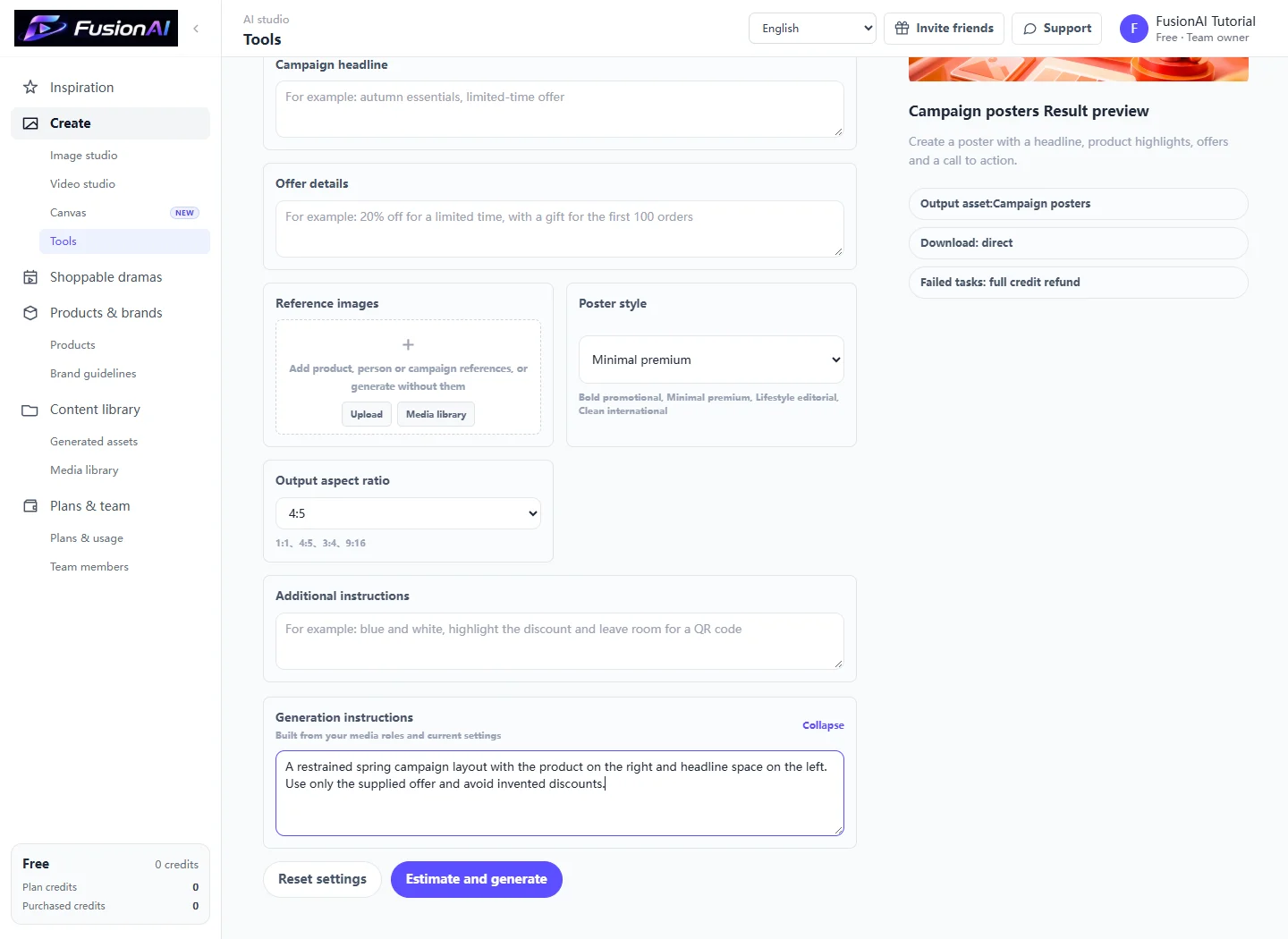
Enter the approved headline and campaign details. Keep hierarchy clear: product, message, then supporting detail.
Try this workflow Interface preview · no generation is started hereCheck copy accuracy, contrast, cropping, brand marks, prices, dates and reading order.
Try this workflow Interface preview · no generation is started herePoster and campaign-layout candidates for final proofreading.
Try this workflow Interface preview · no generation is started hereBuild a poster from real campaign details, optional references and a chosen style. Verify prices, conditions, dates and generated text.
A campaign brief, product references and confirmed copy, price and date information.
Enter the approved headline and campaign details. Keep hierarchy clear: product, message, then supporting detail.
Check copy accuracy, contrast, cropping, brand marks, prices, dates and reading order.
Prepare your references, make intentional choices and inspect the result.
Choose the poster tool and define audience, placement, ratio and the main product.
Enter the approved headline and campaign details. Keep hierarchy clear: product, message, then supporting detail. Review the settings and estimate, then compare candidate layouts at the intended display size.
Proofread every character, price, date and claim. Add final legal or exact copy in a layout tool when necessary.
Continue with ai product image sets. Keep your product references and review criteria close as you move into the next part of production.
Explore AI product image sets
A campaign brief, product references and confirmed copy, price and date information.
Enter the approved headline and campaign details. Keep hierarchy clear: product, message, then supporting detail.
Check copy accuracy, contrast, cropping, brand marks, prices, dates and reading order.
Plan hero, feature, lifestyle and detail images for one product. Adjust each image purpose, prompt, reference and output language.
Explore product ↗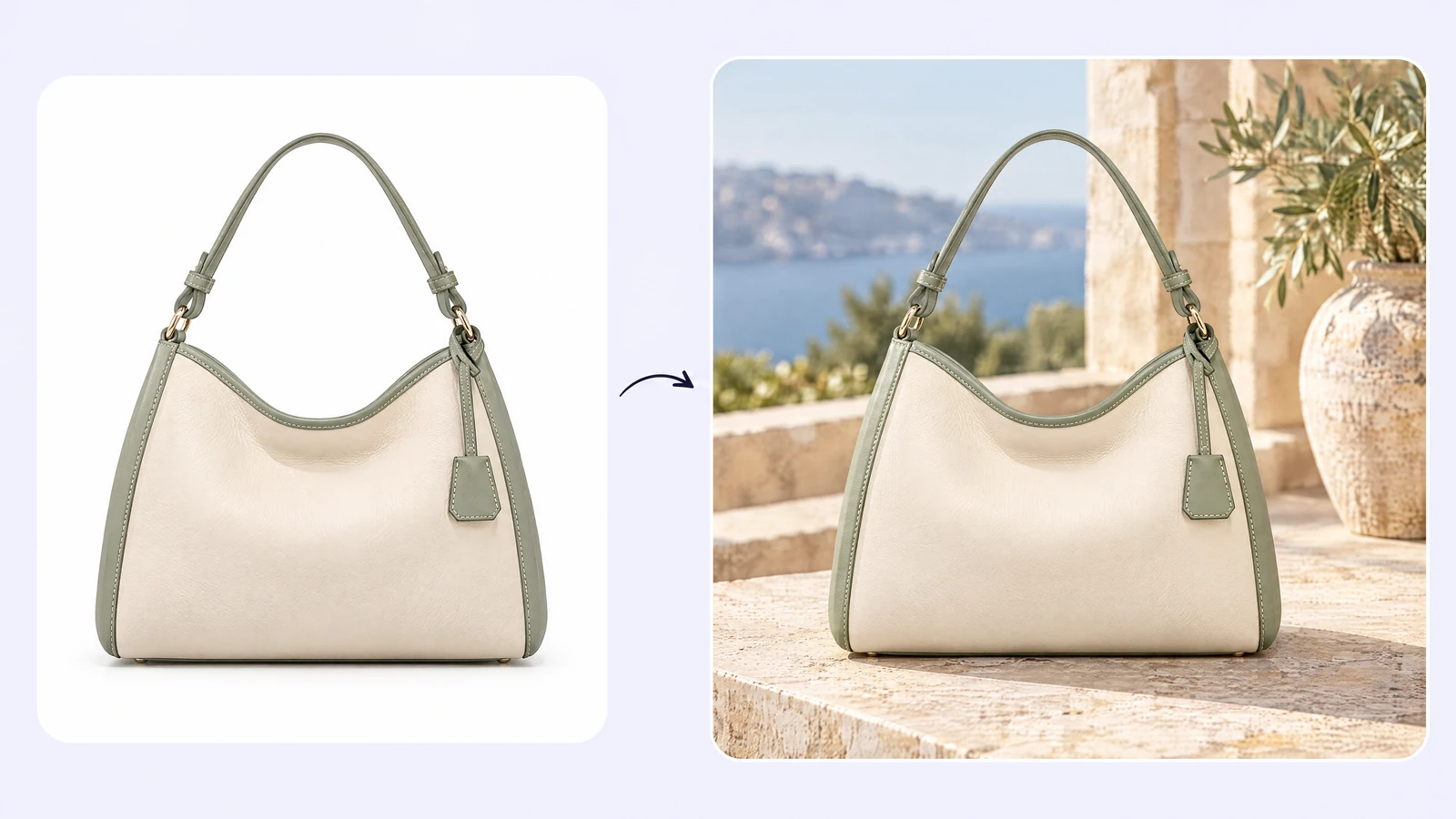
Place an existing product into a new setting, using a generated scene or reference background. Review scale, lighting, edges and contact shadows.
Explore product ↗
Improve defects, edges and reflections while checking product shape, labels and material against the original.
Explore product ↗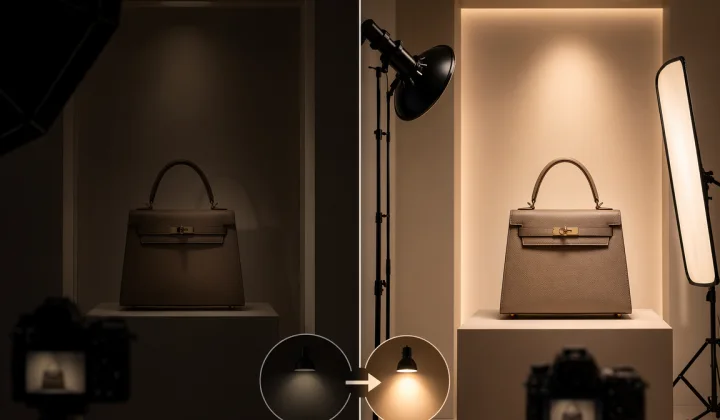
Explore window light, softbox and other available lighting treatments. Check the resulting color and material appearance.
Explore product ↗A campaign brief, product references and confirmed copy, price and date information.
Poster and campaign-layout candidates for final proofreading.
Check copy accuracy, contrast, cropping, brand marks, prices, dates and reading order.
Open the workspace, choose the supported model and settings, and review the displayed credit estimate before confirming generation. Subscription plans and credit packs are listed on the pricing page.
Use references you are entitled to use and check the input requirements in the workspace. Available formats, reference counts and output settings depend on the tool and selected model.
Prepare your inputs, explore the possibilities and choose what works for your brand.