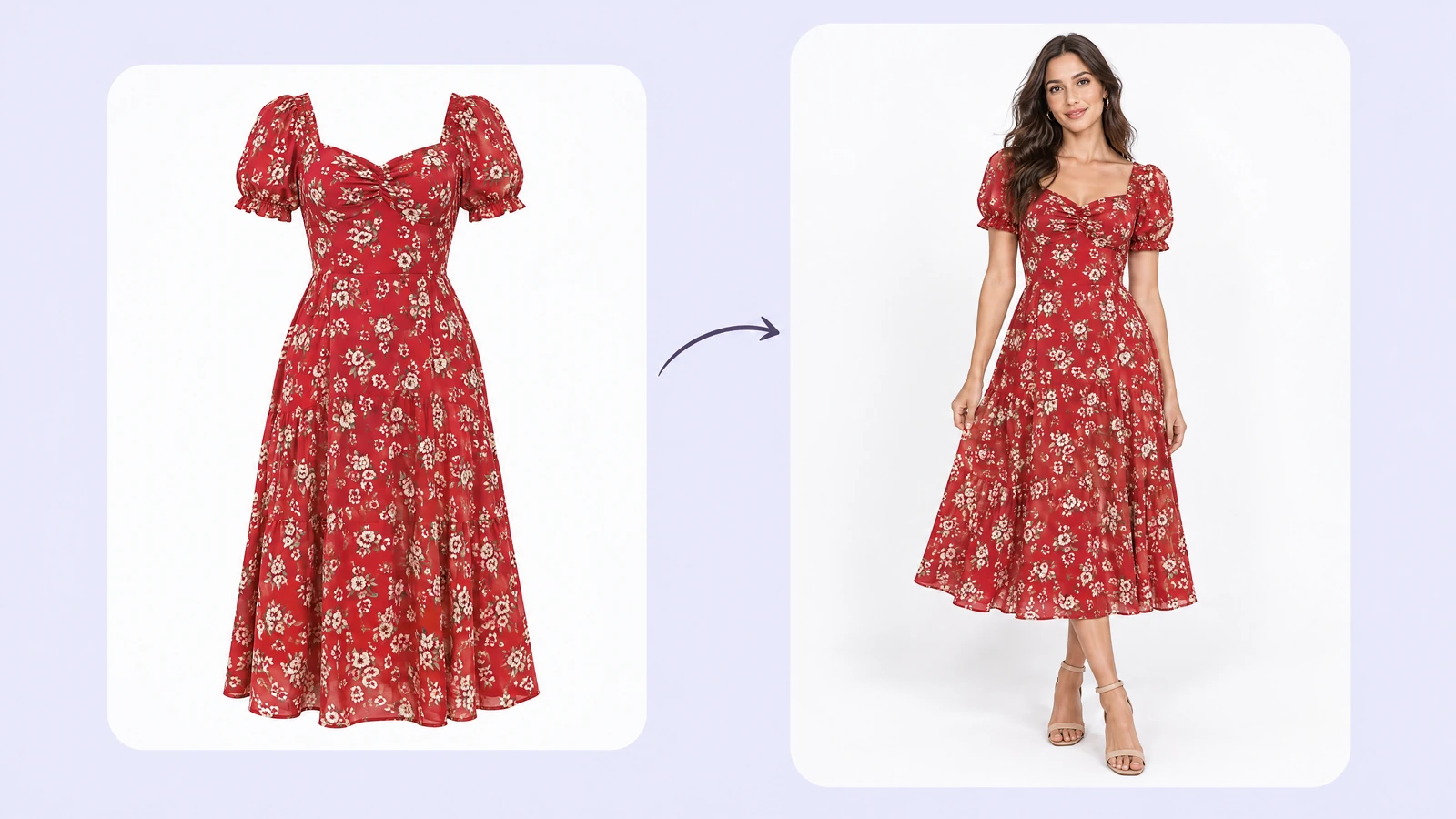
How to Turn a Flat-Lay Garment into a Model Try-On Image
FusionAI Content Team · Updated 2026-11-14 · 4 min read
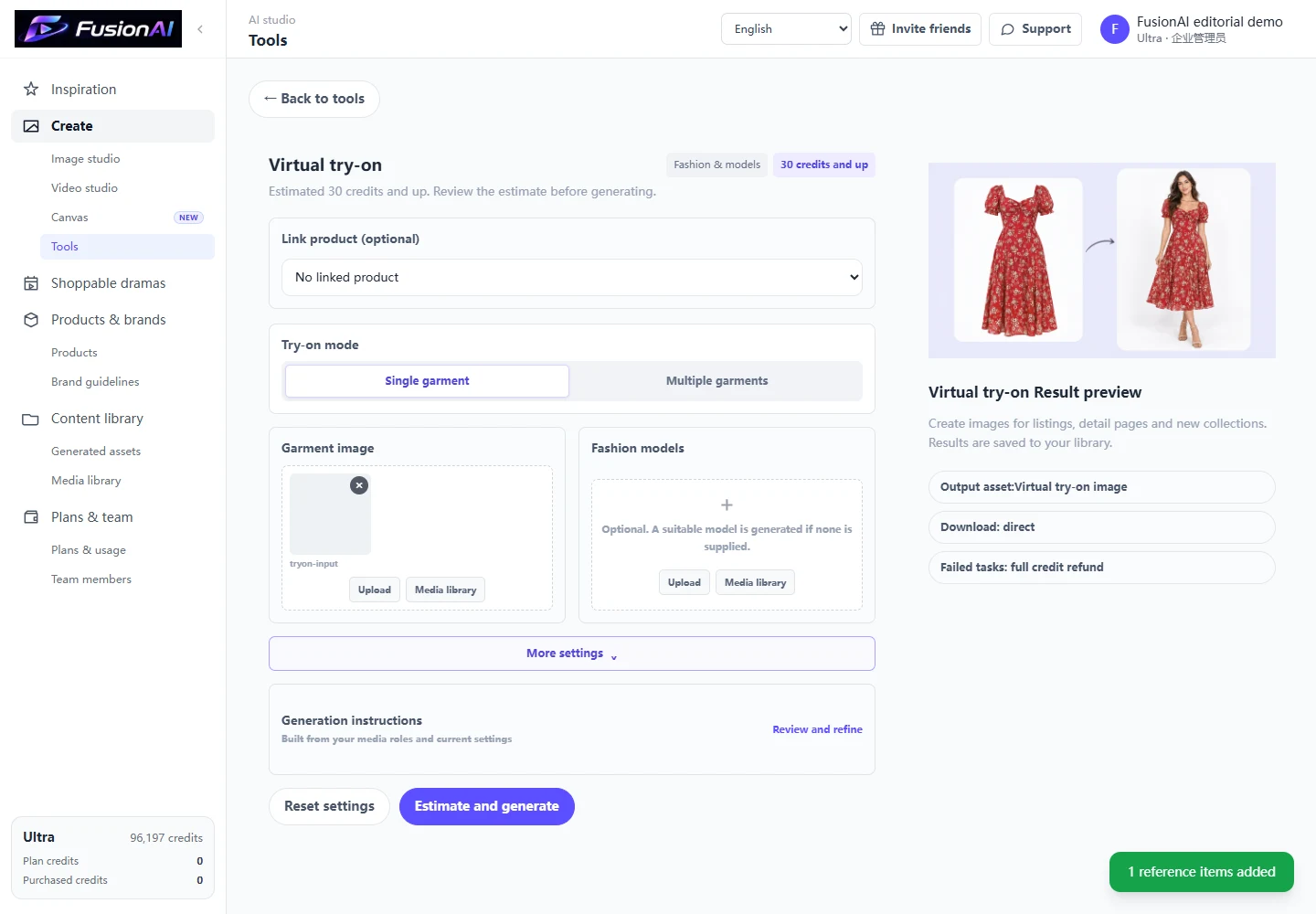
This walkthrough uses the current FusionAI interface and original synthetic teaching materials. Follow the steps, then inspect the saved result and dated task record. The workspace estimate governs a new request.
Before you start
Use a clear garment image in FusionAI clothing try-on, choose the appropriate inputs and review neckline, belt, seams and silhouette before selecting a result.
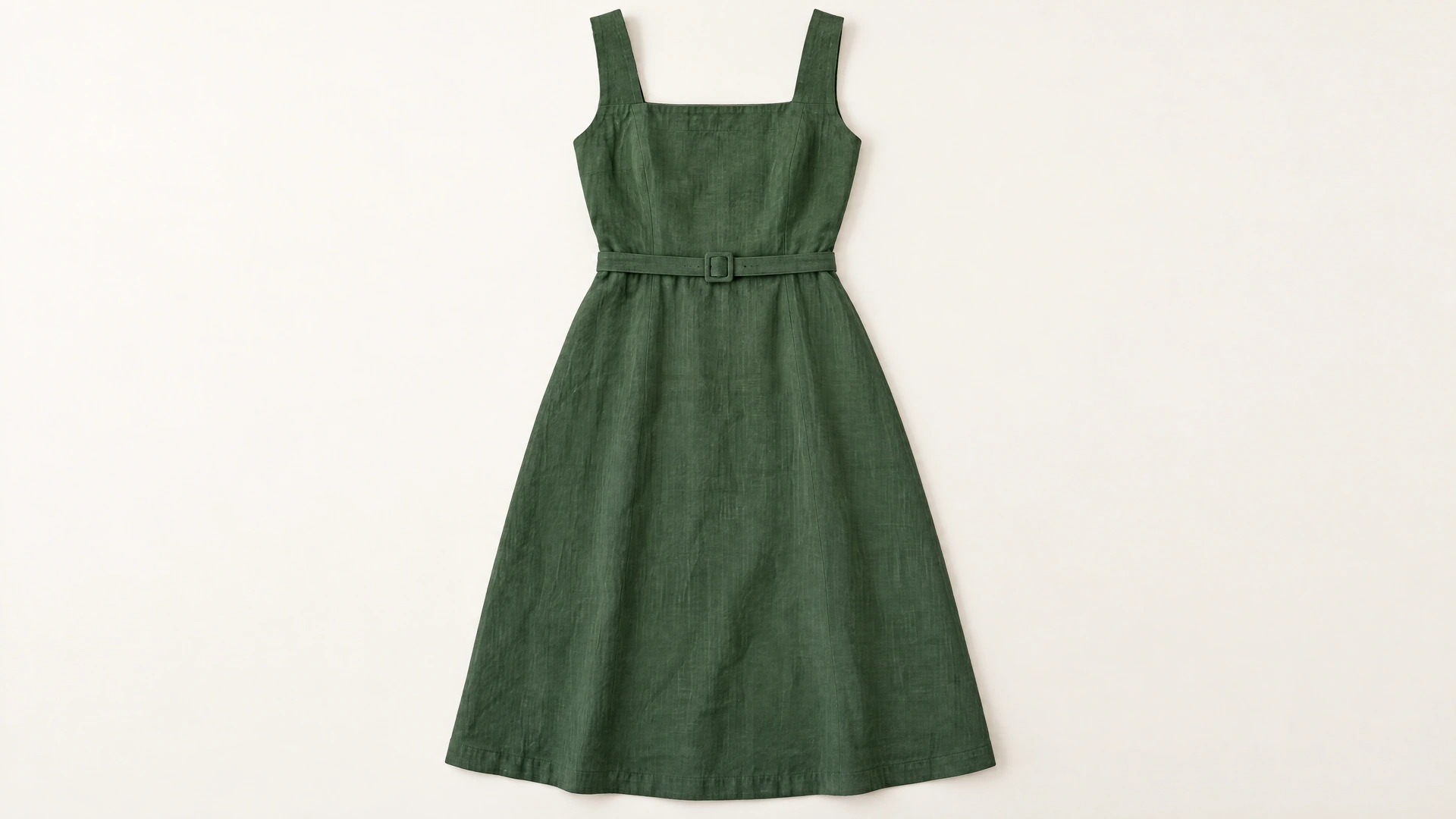
1. Photograph the garment so its construction is visible
Use a front view with the garment fully visible and avoid folds hiding the neckline or fastenings. A plain background helps review the result. The demonstration garment is synthetic. Its reference can guide appearance, but it is not a measurement chart and cannot establish physical sizing or fit.
Use a front view with the neckline, waist and hem visible; remove distracting surrounding items from the reference.
2. Choose single-garment or outfit mode
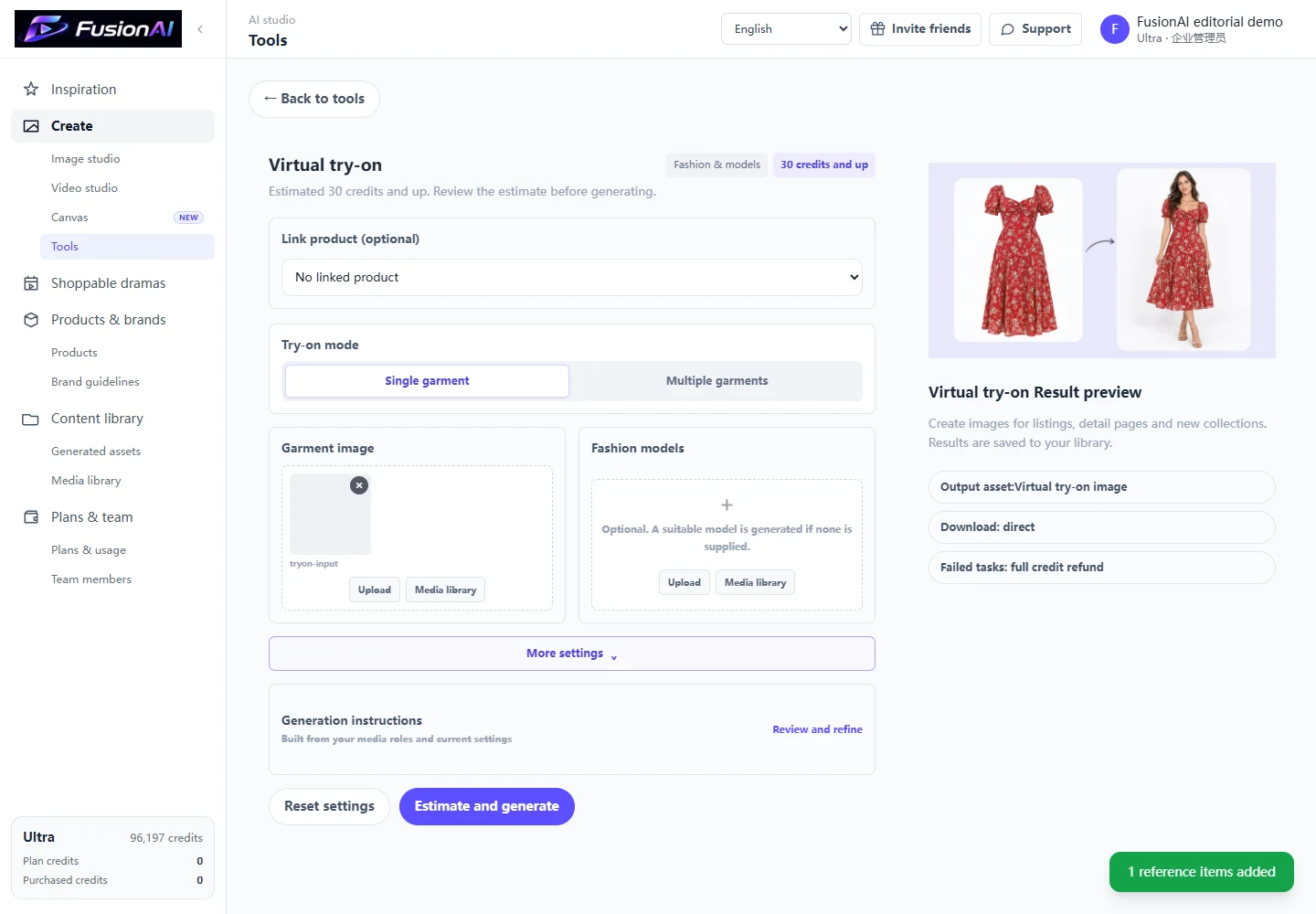
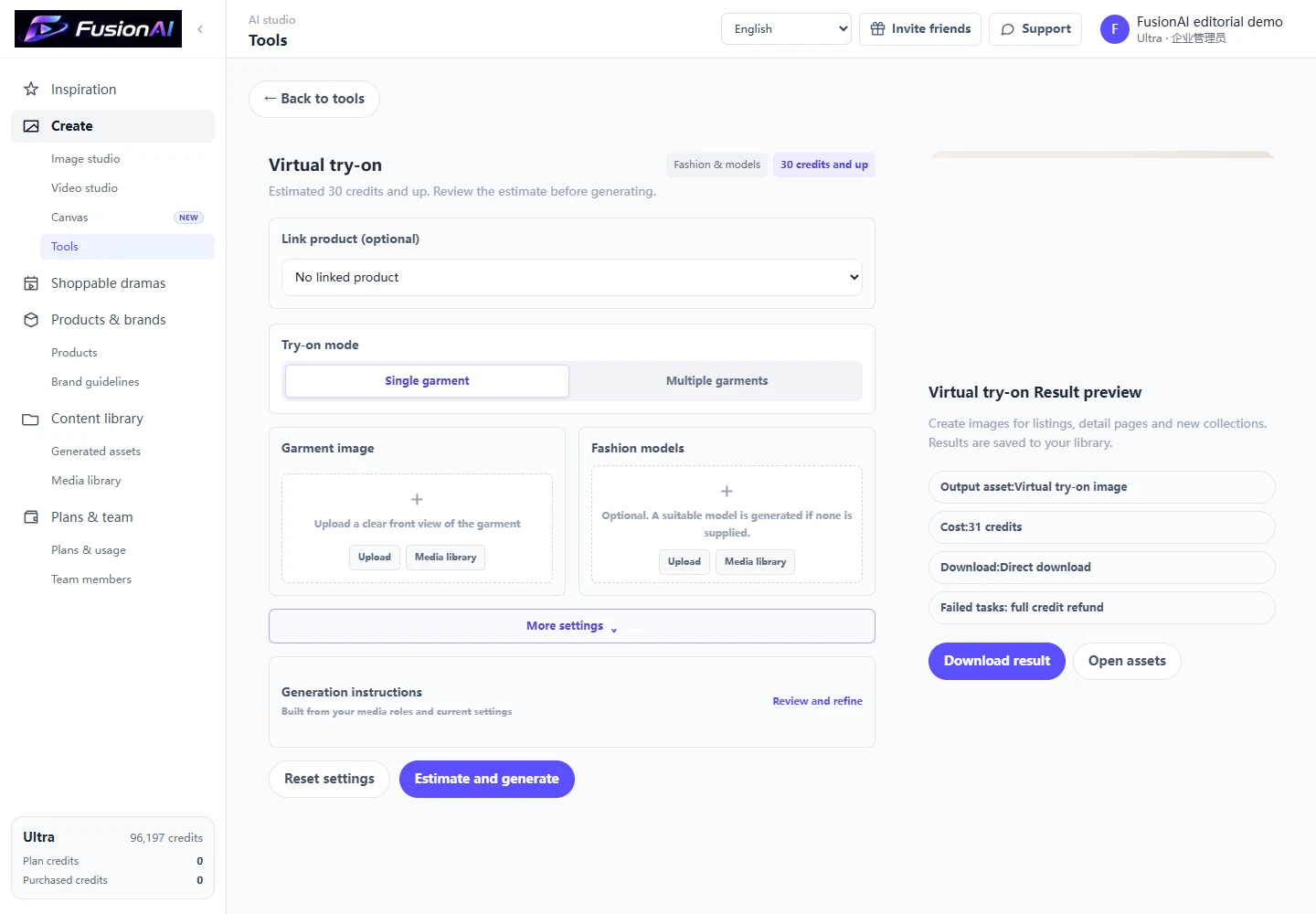
Open Clothing try-on. For one dress, select single-garment mode and attach it to the single-garment field. The top and bottom fields belong to outfit mode. Upload a permitted adult model reference when a particular person is required; otherwise the tool can create an adult model. The recorded task uses no person reference.
Confirm the dress is attached to single-garment mode. Add a model reference only when a specific adult identity is needed.
3. Keep the pose readable
Request a natural standing pose, arms away from the front of the garment and a plain studio. State the features that matter: neckline, belt, seams, fabric pattern and garment length. Do not ask accessories to cover areas that must be inspected. Full-body framing is useful when the hem and proportions are important.
Specify where the arms should be and whether the whole hem must remain in frame; keep the background simple.
4. Generate a candidate with explicit output settings
The task uses 3:4 and 1K. Check the current estimate, submit once and wait for the completed image. Review the result with the original nearby, not from the small history thumbnail alone. Save the input and selected output together so another reviewer can understand what was requested.
Open the generated image at full size and keep the garment reference beside it; do not approve a result from a small thumbnail.
5. Treat try-on as a visual candidate, not fit evidence
Inspect shoulder straps, neckline shape, belt placement, seams and hem. Check hands and feet as well as the garment. Generated drape is not evidence of how a manufactured garment fits an actual customer. For a product listing, obtain approval against the real SKU and include genuine product information separately.
Check that the neckline, belt and hem agree with the reference before evaluating the pose and hands.
Recorded result and what changed
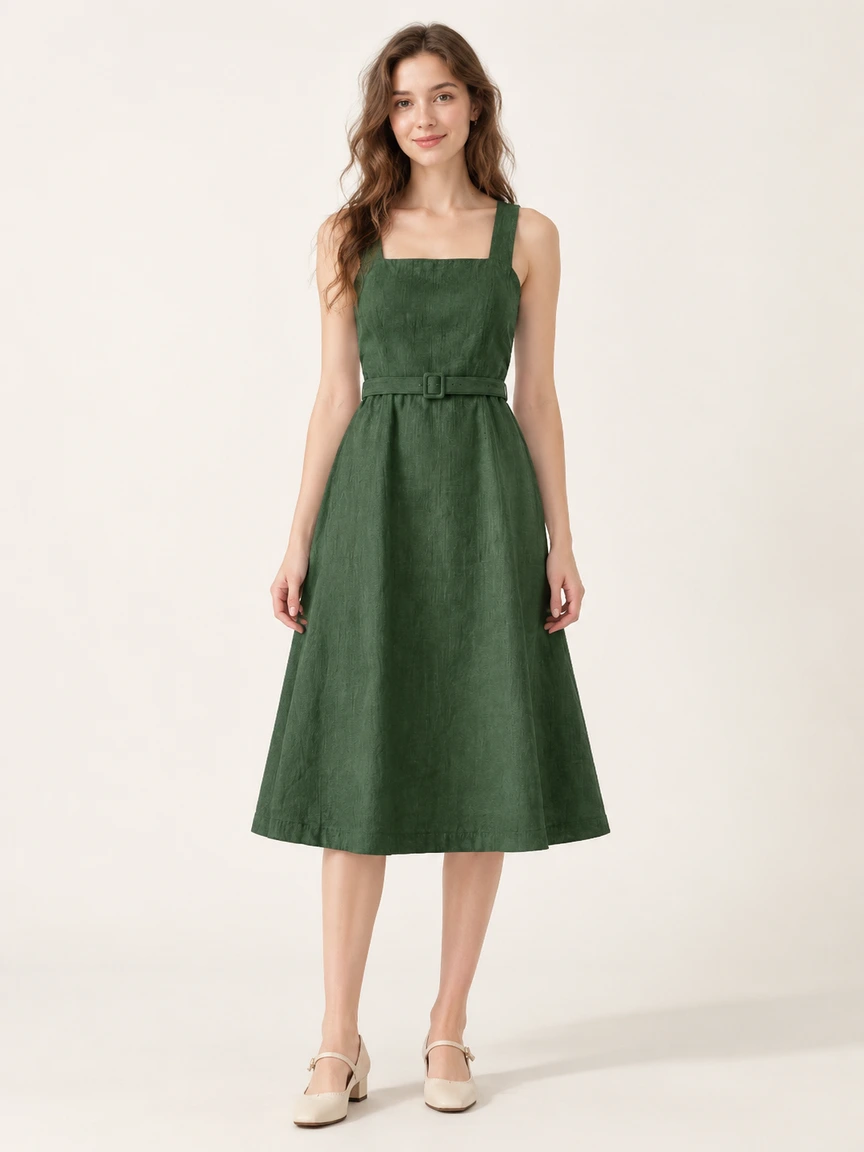
The completed image shows an adult woman in a green dress with visible square neckline, straps and matching belt. The front of the garment and hem are readable without the arms covering them.
The person, drape and pose are generated. This does not verify physical sizing, real fabric behavior or fit on a customer. Compare the complete garment against the real SKU before using a commercial listing.
Settings and dated charge
GPT Image 2 · FusionAI Clothing try-on
Single garment · automatic adult model · full body · 3:4 · 1K · actual 864 × 1152 · 31 credits
Task reference: ede136e6-7b86-4aa7-8b1e-9b58041f7c34
When the result is not right
If the garment becomes occluded, simplify the pose and remove accessories. If important construction changes, use a clearer reference and a shorter preservation brief. Do not present an altered button, belt or hem as the product being sold.
Questions about this workflow
Can this image demonstrate actual size or fit?
No. The person and drape are generated. Use a real size chart and product evidence separately.
Which mode should I use for one dress?
Choose single-garment mode and upload the dress there; the top and bottom fields are for a two-piece outfit.
How do I keep hands from covering the garment?
Ask for a natural front-facing standing pose, arms beside the body and no accessories covering the neckline or belt.
What garment details should I review?
Compare straps, neckline, belt, seams and hem against the original. Review the hands separately and reject changed construction.